
Get The Most Affordable Hosting in the World!
Starting at just $1.87/month, Vercaa offers unbeatable pricing for world-class web hosting services.
Fast, reliable, and secure hosting to power your website without breaking the bank. Plus, enjoy a free CDN for faster loading times worldwide!
Get Started Now!Let us go through the procedure in detail.
- Login to your cPanel account.
- Navigate to EMAIL section and select Track Delivery from the list.
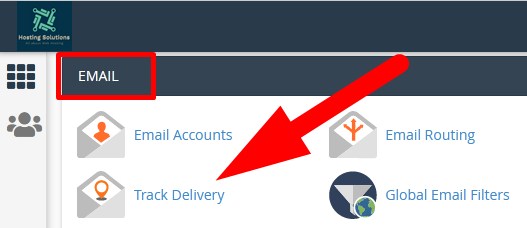
- You will be directed to the next page. You can track email delivery from here.
- Click over Show All to track email delivery of all your email accounts.
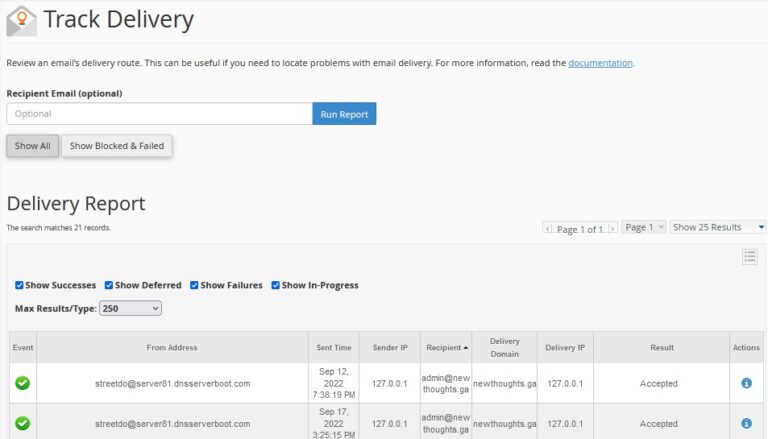
- Click over Show Blocked & failed to track the status of failed or blocked emails.
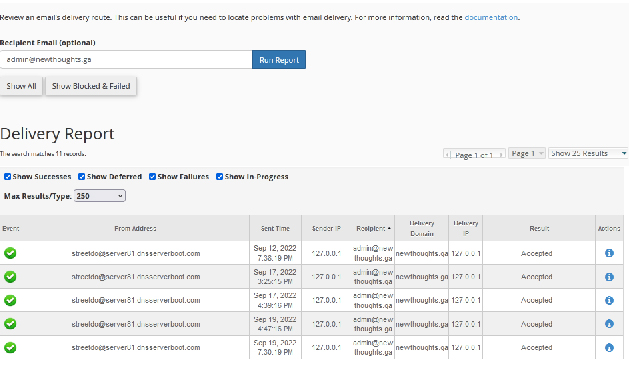
- If you want to track the email report for a particular user or email then enter the domain email in the Recipient Email box and Run Report.
- List of all the blocked, delivered and in progress emails will appear of the particular domain.
Now, there are more things that can be checked from here.
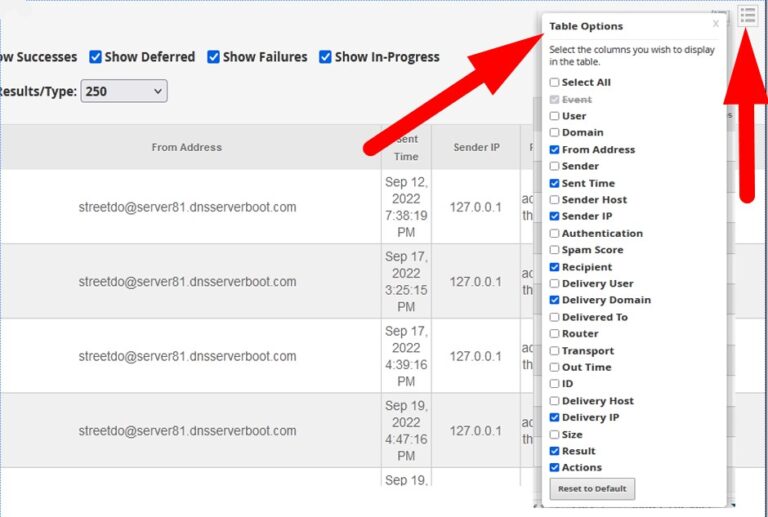
- You can filter out more details of the emails. Click over 3 lines at the right corner and list of options will appear. Check the box which you want to see in the section and uncheck which you don’t.
You can see the status in detail or the send or received email. Go to actions column and click over view details icon as directed in the image.
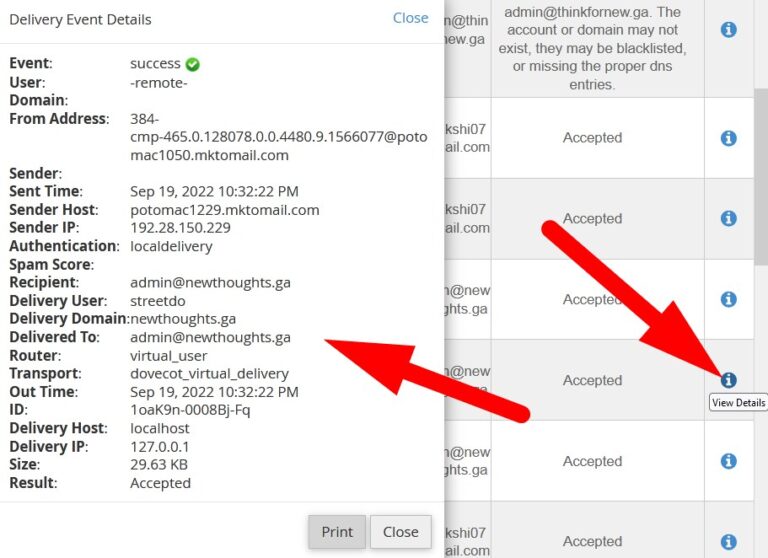
- As you click over blue icon, a page window will open that contains all the details of the selected recipient. Refer to the above given image.
The End! should you have any inquiries, we encourage you to reach out to the Vercaa Support Center without hesitation.