
Get The Most Affordable Hosting in the World!
Starting at just $1.87/month, Vercaa offers unbeatable pricing for world-class web hosting services.
Fast, reliable, and secure hosting to power your website without breaking the bank. Plus, enjoy a free CDN for faster loading times worldwide!
Get Started Now!How to login to WordPress via Softaculous from cPanel? [ONE-CLICK]☑️
Today in this blog we will walk you through the steps to log into your WordPress Dashboard from Softaculous. In this tutorial, you’re going to learn the most straightforward way to log in to your website using cPanel, without requiring any username or password.
Step by Step Process to log into your WordPress Dashboard using Softaculous:
Step::1 Log into cPanel and scroll down to the SOFTWARE section
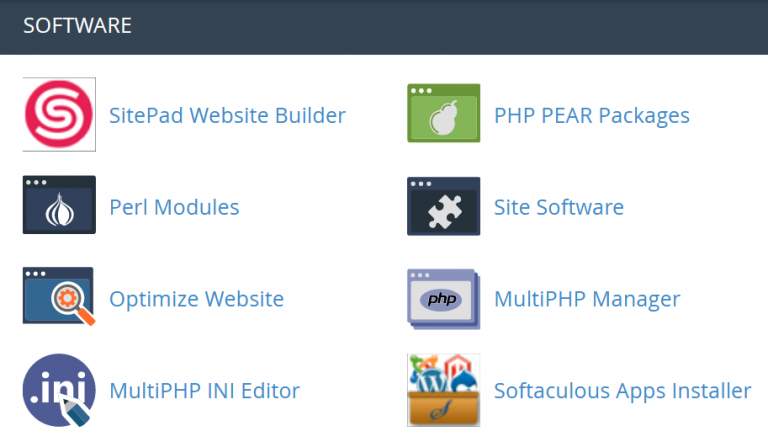
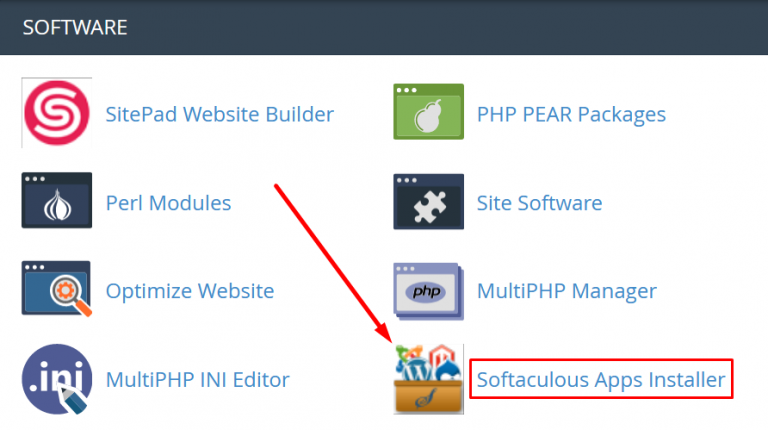
Step::2 Click on the Softaculous icon.
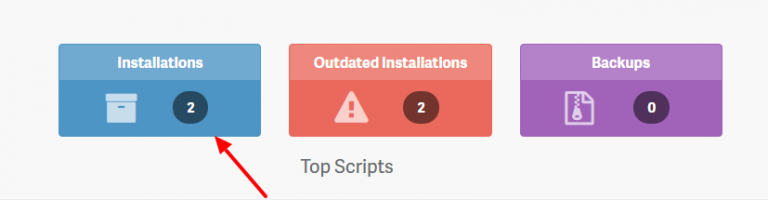
Step::3 In the header, to the right, click on the All Installations icon.
Step::4 On the Scripts Installations page find the website listed.
Step::5 Click on the human icon: to the right of the website you are logging into, under the Admin column.
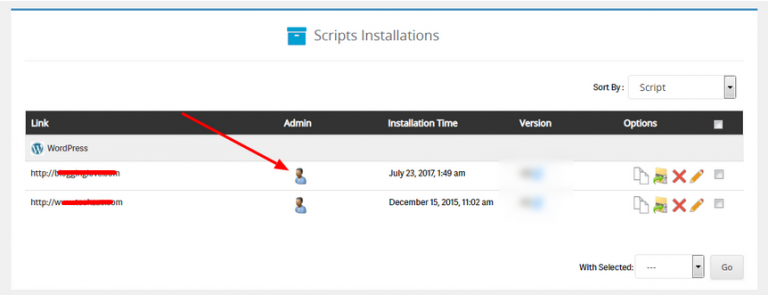
Since you are logging into the WordPress dashboard from an aunthenticated (cPanel) login, you will not be prompted for a password. Instead, you will be automatically authenticated as the WordPress admin user that was created during the initial installation.
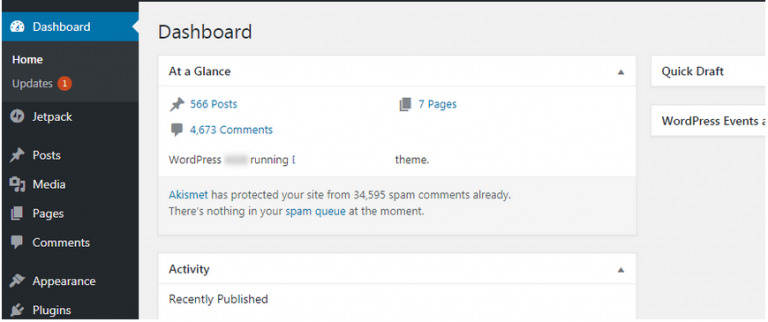
Congratulations! Now you know another way you can log into your WordPress Administrative Dashboard, by using Softaculous.
The End! should you have any inquiries, we encourage you to reach out to the Vercaa Support Center without hesitation.