
Get The Most Affordable Hosting in the World!
Starting at just $1.87/month, Vercaa offers unbeatable pricing for world-class web hosting services.
Fast, reliable, and secure hosting to power your website without breaking the bank. Plus, enjoy a free CDN for faster loading times worldwide!
Get Started Now!et us go through the procedure in detail.
- Login to WordPress dashboard.
- Click over Add New in Posts or Pages section. (In this tutorial, we’ll create About Us page).
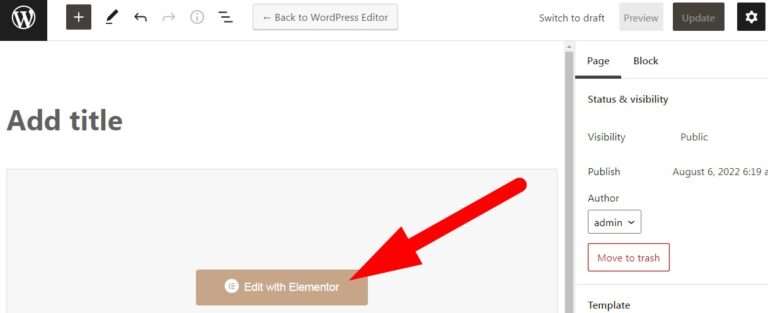
- Now, you will be directed to editor page. Here, click over Edit with Elementor to create a page using Elementor.
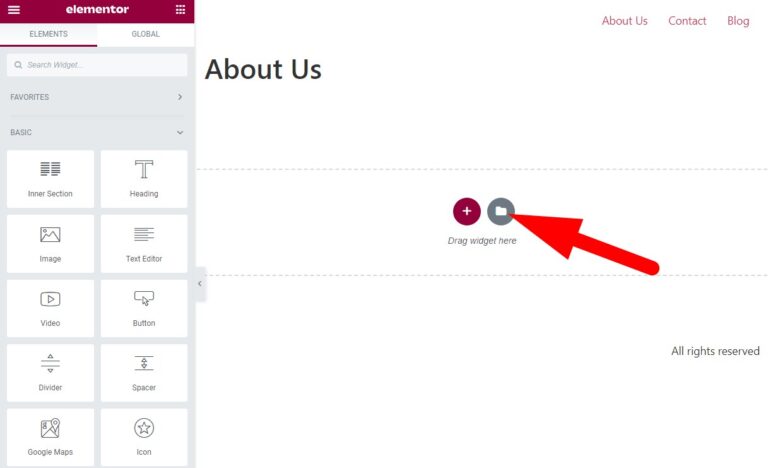
- You will be directed to Elementor editor page with multiple features on left side of the page. Here, click over file icon to select template from the library.
- Elementor Library window gets open from where you can select existed or self-created template.
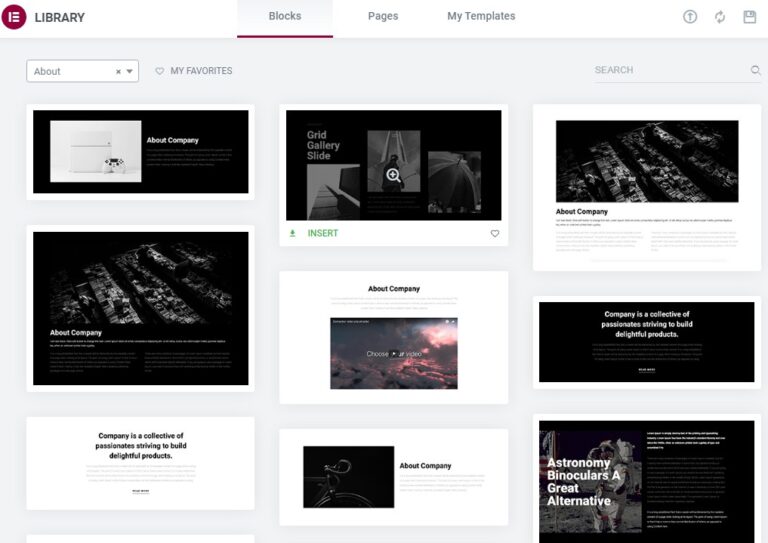
- Insert the template as per your choice and then click over Apply.
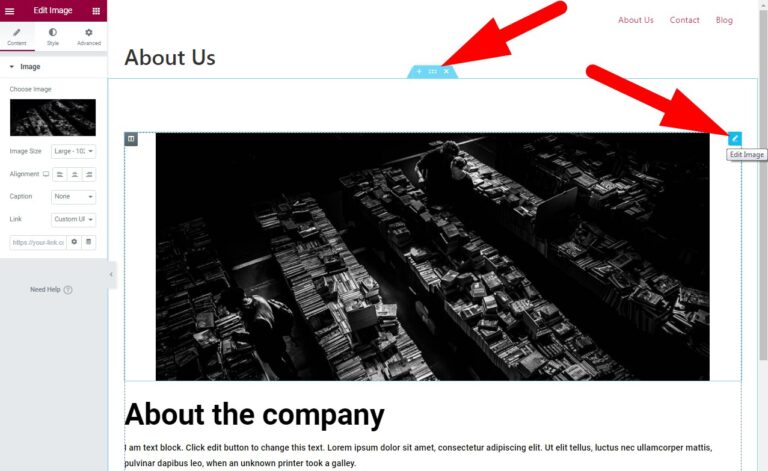
- Now, you will be back to editor page. Click over 3 dots as directed to edit the section.
- To modify changes in image or text move your cursor to the selection and then click over edit icon.
- After modifying the changes, click over Update at the bottom of the page. Now you can visit the page to verify that the changes have been made successfully.
The End! should you have any inquiries, we encourage you to reach out to the Vercaa Support Center without hesitation.